The best cloud browser options in May 2026 all share one core feature: they run your web sessions on remote servers instead of your local machine, creating a physical gap between internet threats and your device. That isolation matters if you're a security researcher poking around malware sites or an enterprise managing unvetted contractor access. For everyone else, cloud browsers introduce more friction than they remove. You lose local file access, saved credentials get clunky, and every interaction feels slightly delayed because it's bouncing through a data center somewhere. This guide breaks down exactly how remote browser isolation works, which rendering approach each major tool uses, and why local browser automation solves the productivity problem without forcing you to stream your entire workflow through someone else's infrastructure.
TLDR:
- Cloud browsers run web sessions on remote servers to isolate threats from your device
- Latency, bandwidth costs, and dependency on provider uptime limit practical use
- Most valuable for security research, regulated industries, and cross-browser testing at scale
- Local browser automation offers speed and convenience without cloud browser trade-offs
- Composite automates tasks locally in Chrome/Edge/Brave with SOC-2 compliance and zero AI subvendor data retention
What Is a Cloud Browser?
A cloud browser runs your web sessions on a remote server instead of your local machine. When you visit a website through one, the page loads and displays somewhere in a data center. What you see on your screen is a visual stream of that remote session, like watching a video feed of someone else's computer browsing the web for you.
Why does this matter? Because it creates a gap between the internet and your device. Malicious code, tracking scripts, and browser-based exploits never reach your actual computer. They stay confined to that remote environment. This concept, known as remote browser isolation, was originally built for security-conscious organizations that needed to protect endpoints from web-borne threats.
Over time, cloud browsers expanded beyond enterprise security. Free cloud browser tools started appearing for everyday users who wanted anonymity, access to geo-restricted content, or a way to browse on low-powered devices without taxing local resources. The core idea has stayed the same: offload browsing from your machine to a server somewhere else.
How Cloud Browsers Work: Remote Browser Isolation Explained
The mechanics vary depending on the provider, but the client-server relationship follows a consistent pattern. You interact with what looks like a normal browser window. Every click, keystroke, and scroll gets sent to a remote server, where the actual browser session lives. The server processes your input, executes it against the real webpage, and sends back a safe visual representation. No raw web content ever touches your device directly.
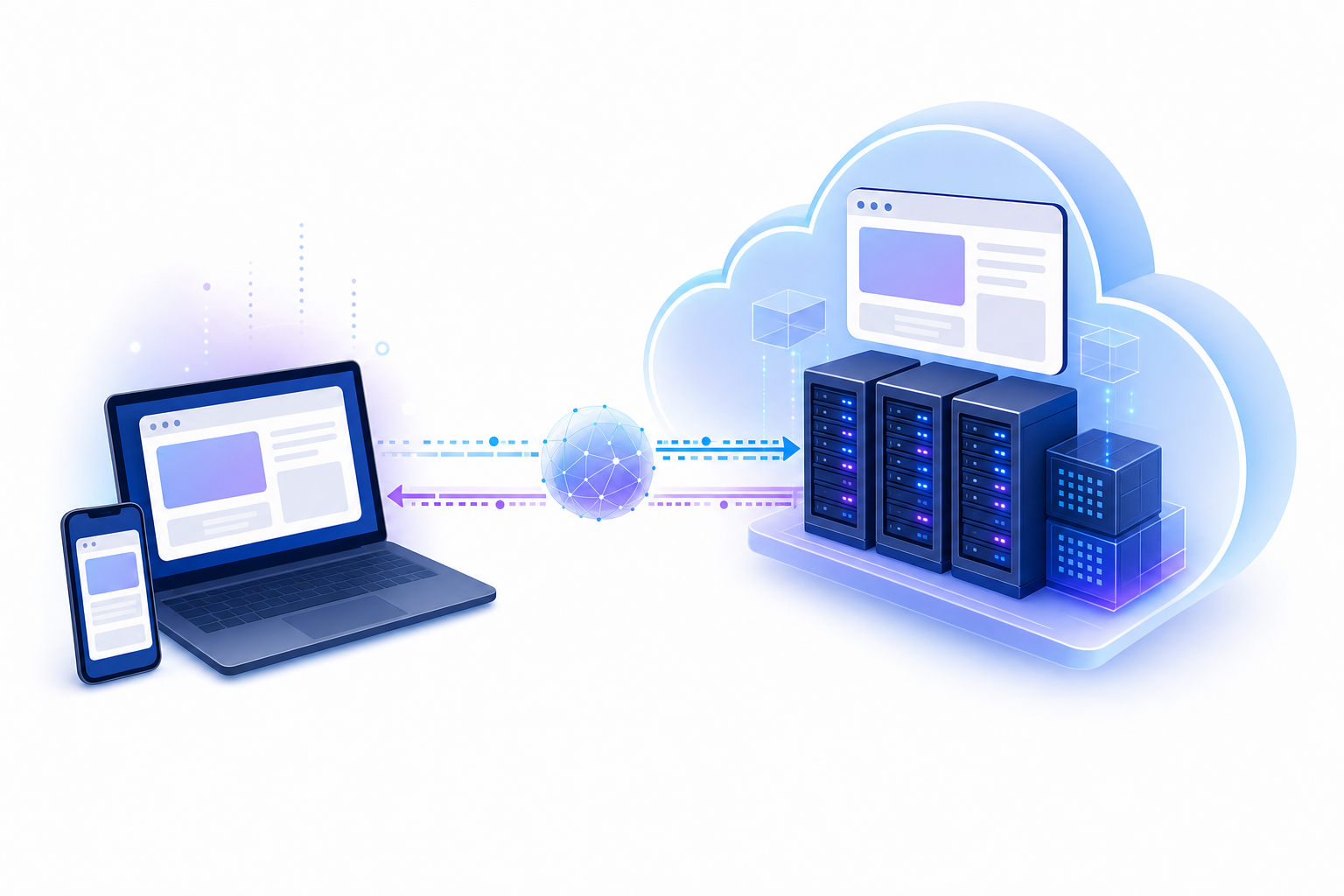
Where things diverge is in how that visual representation gets delivered. There are three primary delivery approaches:
- Pixel pushing streams the entire browser viewport as a video-like feed of pixels. It offers the strongest isolation since nothing from the original page structure reaches the client, but it's bandwidth-heavy and can feel sluggish.
- DOM reconstruction strips dangerous elements from the page's document object model, then rebuilds a sanitized version locally in your browser. It feels faster and more native, though it requires more complex filtering logic.
- Graphics engine streaming sits between the two, using an intermediate rendering layer (like Skia, the graphics engine behind Chromium) to convert page content into draw commands that get replayed on the client side.
Each approach trades off between security, latency, and bandwidth consumption. Pixel pushing sacrifices responsiveness for airtight isolation. DOM reconstruction delivers a snappier experience but widens the attack surface slightly. Graphics engine streaming tries to split the difference. Which approach a cloud browser uses shapes everything about how it feels to the end user.
Types of Cloud Browsers: Consumer vs Developer Tools
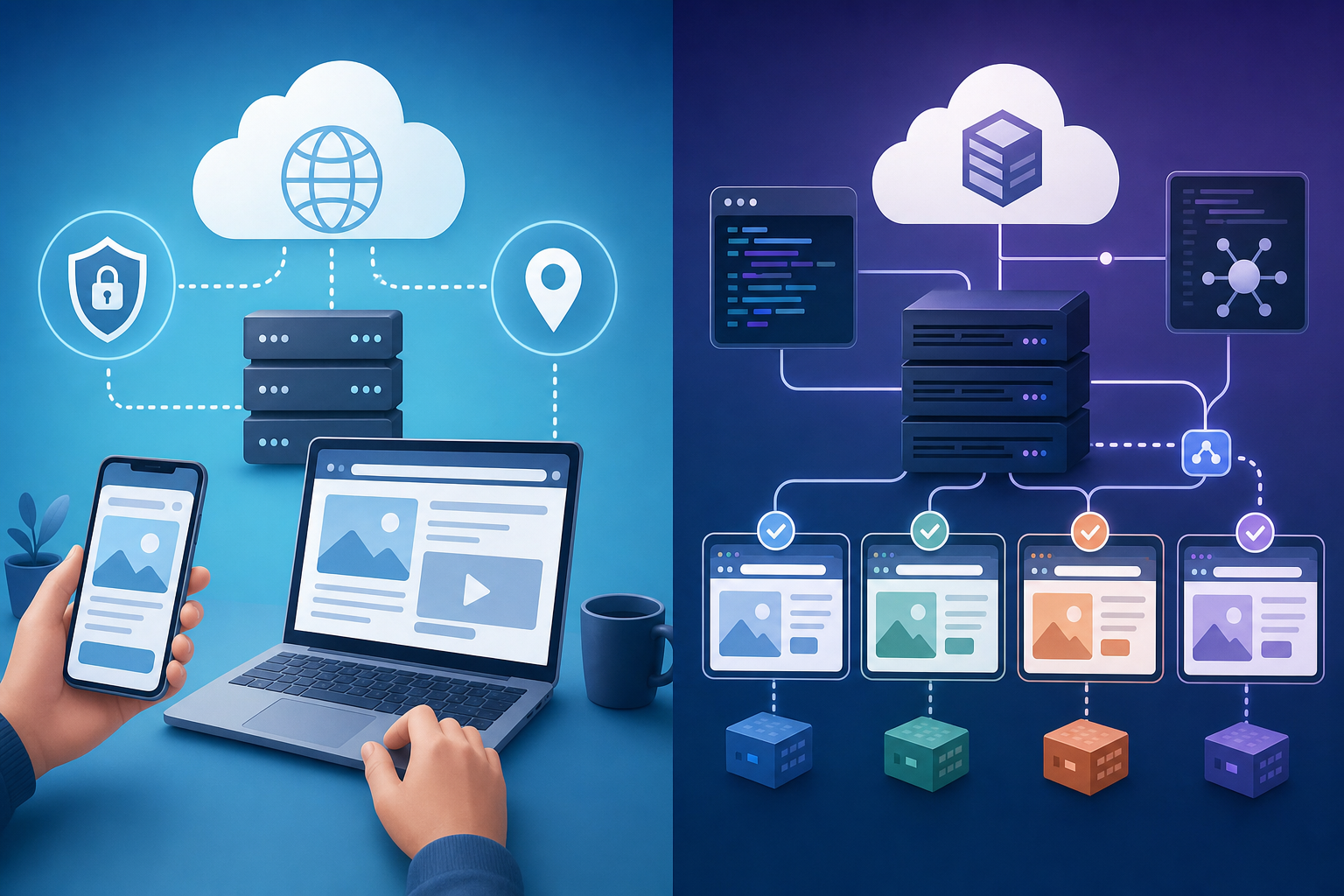
Not all cloud browsers serve the same audience. The market splits into two distinct categories, and confusing them can lead you down the wrong path entirely.
Consumer Cloud Browsers
These are built for everyday browsing. Puffin Cloud Browser compresses and renders pages remotely so users on older phones or slow connections get a faster experience. NetworkChuck's cloud browser gained popularity through his YouTube tutorials, offering a free cloud browser option with a privacy-first angle. Tools like Browser.lol provide virtual browser sessions online for anonymous browsing or accessing geo-restricted content. If you're searching for a cloud browser APK or a free cloud browser for PC, you're likely looking at this category.
Browser-as-a-Service for Developers
On the other side sit tools like Browserbase, BrowserStack, and LambdaTest. These aren't meant for casual web surfing. They provide headless or remote browser instances that developers spin up programmatically for testing, scraping, and running automated scripts at scale. The end user never opens a browser window. Instead, code interacts with the remote browser through APIs.
The distinction matters because your search intent should guide your choice. Want private, low-resource browsing on your phone? Consumer tools. Need to run 500 parallel browser sessions for QA testing? Developer infrastructure. Mixing them up means paying enterprise prices for simple browsing, or trying to force a consumer tool into an automation workflow it was never designed for.
Tool | Category | Primary Use Case | Execution Model | Best For |
|---|---|---|---|---|
Puffin Cloud Browser | Consumer Cloud Browser | Fast browsing on low-powered devices with page compression and remote rendering | Remote server with pixel streaming to client device | Users with older phones, slow connections, or limited device resources |
Browser.lol | Consumer Cloud Browser | Anonymous browsing and accessing geo-restricted content through virtual browser sessions | Web-based virtual sessions with no installation required | Privacy-focused users needing disposable browser sessions online |
Browserbase | Developer Browser-as-a-Service | Headless browser instances for scraping, testing, and automated scripts at scale | API-controlled remote browser instances with programmatic access | Developers running parallel automation workflows and data extraction |
BrowserStack | Developer Browser-as-a-Service | Cross-browser testing across multiple OS and browser combinations | Cloud infrastructure with API access for test automation | QA teams testing applications across dozens of browser configurations |
LambdaTest | Developer Browser-as-a-Service | Automated browser testing with parallel session execution | Cloud-based testing infrastructure with programmatic control | Development teams running large-scale automated test suites |
Composite | Local Browser Automation | Automating repetitive browser tasks in authenticated sessions without cloud dependency | Local execution as browser extension in Chrome, Edge, or Brave | Knowledge workers eliminating manual workflows while maintaining local control and speed |
Cloud Browser Security Benefits and Isolation Advantages
The security case for cloud browsers comes down to one principle: if malicious code never reaches your device, it can't compromise it. By running sessions on remote servers, cloud browsers create physical isolation between web threats and your endpoints. Zero-day exploits, drive-by downloads, and phishing payloads all stay contained in the disposable server environment.
This matters especially on untrusted networks. Public Wi-Fi at airports or coffee shops becomes far less risky when your actual browsing happens miles away in a data center. Web-based attack vectors — drive-by downloads, malicious scripts, and phishing pages — are among the most common ways endpoint devices get compromised. Remote browser isolation acts as a proactive layer against both known and unknown malware. The browser isolation market is projected to grow from $2.53 billion in 2026 to $7.65 billion by 2031, reflecting increasing enterprise adoption of these security measures.
Limitations and Drawbacks of Cloud Browsers
Cloud browsers sound great on paper, but they carry real trade-offs that are easy to overlook.
Latency is the most obvious. Every interaction takes a round trip to a remote server and back, which means scrolling, typing, and clicking all feel slightly delayed. For casual reading, that's tolerable. For anything requiring quick, precise interactions, it gets frustrating quickly.
Bandwidth requirements add up, too. Since you're receiving a continuous visual stream instead of lightweight HTML and CSS, data consumption spikes. Users on metered connections or mobile networks feel this immediately. Then there's cost. Mighty Browser, a cloud browser that promised desktop-class performance on any machine, shut down in 2022 after struggling to support the server infrastructure costs required to deliver on that promise.
The deeper issue? You're dependent on someone else's uptime. If the provider goes down, your browsing stops entirely. And because sessions run remotely, integrating with local files, extensions, and saved credentials becomes clumsy at best. For security-focused enterprises with budget and IT support, these drawbacks are manageable. For everyone else, they often outweigh the benefits.
Cloud Browser Use Cases: Who Should Use Remote Browsing
Cloud browsers make the most sense when isolation is a hard requirement, not a nice-to-have. Here's where they deliver real value:
- Information security researchers who analyze malware, visit suspicious domains, or investigate phishing campaigns need disposable browser sessions that can't contaminate their machines. Cloud browsers give them exactly that.
- Compliance-driven industries like government agencies, financial institutions, and healthcare organizations face strict mandates around endpoint protection. Remote browser isolation helps satisfy those requirements without locking down user access entirely.
- Enterprises managing third-party contractors can provide web access through cloud browser sessions rather than granting VPN credentials or installing software on unmanaged devices.
- Developer and QA teams running cross browser testing across dozens of OS and browser combinations at scale. Spinning up cloud-based browser instances beats maintaining a device lab.
If your work doesn't fall into one of these categories, a cloud browser may be solving a problem you don't actually have. Most knowledge workers need their browser to do more, not run somewhere else.
Browser Automation and AI Agents: The Evolution Beyond Cloud Isolation
The conversation around cloud browsers has shifted. Where remote browser isolation was once the cutting edge of how organizations thought about web security and access, 2026 looks very different. The focus now is less about where your browser runs and more about what it can do for you.
NVIDIA's 2026 State of AI report found that 64% of organizations are actively using AI, with 53% citing improved employee productivity as one of AI's biggest business impacts. By the end of last year, 44% of companies were already deploying or assessing agents.
Cloud browsers isolate your session. Browser agents automate it. One protects you from the web; the other makes the web work for you. For knowledge workers drowning in repetitive multi-tool workflows, that distinction matters more than where rendering happens.
Local Browser Automation: An Alternative Approach to Cloud Browsers
There's a third path that sidesteps the cloud browser trade-offs entirely: running automation locally, inside the browser already open on your machine.
Instead of routing sessions through remote servers, local browser automation tools operate as extensions or overlays within Chrome, Edge, or Brave. They watch what you do, learn patterns, and execute tasks right where you work. No pixel streaming, no round-trip latency, no dependency on external uptime. Your logged-in sessions, saved credentials, and extensions all stay intact.
Security works differently here, too. Because actions execute on your own device using your own browser sessions, sensitive data doesn't need to travel to a third-party rendering environment. For organizations that care about both productivity and data control, that's a meaningful distinction. Cloud browsers protect you from the web. Local automation makes the web do your work for you, without asking you to leave home.
How Composite Turns Your Browser Into an Automation Layer
Rather than isolating your browsing on a remote server, Composite takes a local-first approach. It runs as an automation layer inside Chrome, Edge, or Brave. Hit Cmd/Ctrl + Shift + Space, describe a task in plain English, and Composite plans and executes it click by click across your open tabs and tools.
Everything runs locally in your authenticated sessions. No re-login flows, no API keys, no switching browsers. Our multi-model AI architecture routes each task to the best-fit model for speed and accuracy, whether that's a lightweight open-source model or a larger vision model. Proactive task detection learns your patterns over time, surfacing automations before you think to ask.
On the security side, we're SOC-2 Type 2 compliant, and our AI subvendors operate under a zero data retention policy—they don't retain or store any of your data. Actions execute locally in your own browser. If you've been weighing cloud browsers against doing everything manually, there's a third option: let your existing browser do the work for you.
Final Thoughts on Choosing Between Cloud and Local Browsing
For security researchers and compliance-heavy industries, cloud browsers deliver the isolation they need. But most professionals benefit more from automation that runs in their local browser, where sessions stay authenticated and actions execute instantly without server round trips. You avoid the bandwidth costs and latency while gaining access to tools that actually reduce repetitive work. Drop us a line if you want to see how it works for your workflows.
FAQ
Best cloud browser for developers vs regular users?
For developers running cross-browser testing or web scraping, Browserbase and BrowserStack provide headless instances with API access. Regular users looking for private browsing or low-resource access should stick with consumer tools like Puffin Cloud Browser or Browser.lol—they're built for everyday web surfing, not automation workflows.
Can I use a cloud browser without installing anything?
Yes. Most free cloud browser tools like Browser.lol run entirely online through your existing browser, requiring no download or installation. You access a virtual browser session through their website, making them work on any device with internet access.
What's the difference between cloud browsers and local browser automation?
Cloud browsers run your sessions on remote servers and stream the visual feed back to you, protecting your device but adding latency and bandwidth costs. Local browser automation tools like Composite run directly inside your existing Chrome, Edge, or Brave browser, executing tasks on your own device without round-trip delays or dependency on external uptime.
When does remote browser isolation make sense vs browser automation?
Choose remote browser isolation if you're analyzing malware, operating under strict compliance mandates, or need disposable sessions for security research. Choose browser automation if you're a knowledge worker trying to eliminate repetitive tasks across multiple tools—you'll get faster performance and keep your existing logged-in sessions intact.