Most product ops teams spend eight hours a week building reports. You pull metrics from Jira, Amplitude, Salesforce, and a stack of other tools, align formats across inconsistent sources, generate slides or docs for leadership, and route everything to the right stakeholders. Then you do it again next week. PM reporting time savings become real when you automate the full product operations workflow: data collection, template application, scheduled updates, and distribution. With that automation, the same report that took eight hours now takes thirty minutes. That shift frees your team to spend hours on interpreting data and shaping strategy instead of assembling inputs.
TLDR:
- Product ops teams lose 15-20 hours weekly on manual reporting across fragmented tools like Jira, Amplitude, and Salesforce.
- Automation cuts reporting time by 50-80% by connecting data sources, applying templates, and routing outputs without manual exports.
- Start with high-frequency, predictable reports like sprint summaries and roadmap updates to build trust before scaling.
- Track hours saved per cycle and error rates to measure ROI and support continued investment in automation.
- Composite chains the full reporting workflow across tools in parallel, extracting data and delivering finished summaries without API setup.
Why Product Operations Teams Lose Hours Every Week to Manual Reporting
Product ops sits at the intersection of every tool your team touches. Jira, Amplitude, Notion, Salesforce, spreadsheets that somehow became mission-critical. As the discipline has matured, the reporting surface area has grown with it. Every new tool in the stack adds another source to pull from, another format to align.
The time cost compounds faster than most teams realize. A product ops specialist spending three hours a week aggregating data across inconsistent formats loses over 150 hours per year to administrative overhead. Scale that across a team of 15, and you're looking at 2,250 hours annually buried in copy-paste work and formatting cleanup. That's more than a full-time headcount spent on reports nobody enjoys building.
The Core Reporting Challenges Facing Product Ops in 2026
Product ops teams in 2026 face a reporting environment shaped by tool sprawl and fragmented data. The average PM now works across 14 different SaaS tools weekly, and each one stores a slice of the metrics stakeholders need. Pulling those numbers into a single view means logging into multiple dashboards, cross-referencing sprint data with customer feedback, and manually formatting slides or docs for leadership reviews.
Three pain points show up consistently:
- Data lives in silos across Jira, Amplitude, Salesforce, and internal wikis, forcing teams to copy and align figures by hand before any analysis can begin.
- Reporting cadences have accelerated from monthly to weekly or even daily, but the manual processes behind them haven't kept pace, creating a growing gap between what leadership expects and what ops can deliver.
- Context switching between tools erodes focus; teams spend more time gathering inputs than interpreting them, which pushes actual decision-making later into every cycle.
These friction points are why product ops reporting automation has moved from a nice-to-have to a core requirement for teams trying to keep pace with faster release cycles and tighter feedback loops.
What Product Ops Reporting Automation Actually Means
Reporting automation in product ops goes well beyond scheduling a dashboard email every Monday morning. A scheduled report still pulls from a single source and delivers a static snapshot. True product ops reporting automation stitches together data collection across multiple tools, applies consistent metric calculations, generates formatted outputs, and routes them to the right stakeholders without anyone opening a spreadsheet.
What stays manual is the part that actually matters. Interpreting why activation dropped last sprint, deciding which initiative to fund next quarter, shaping a recommendation for the exec team. Agentic automation handles the plumbing so your team can spend its hours on those judgment calls instead of assembling the inputs needed to make them. Automation handles the plumbing so your team can spend its hours on those judgment calls instead of assembling the inputs needed to make them.
How Automated Reporting Works Across Product Operations Workflows
Most automated reporting workflows follow a four-step loop: connect data sources, apply templates, schedule updates, and route outputs.
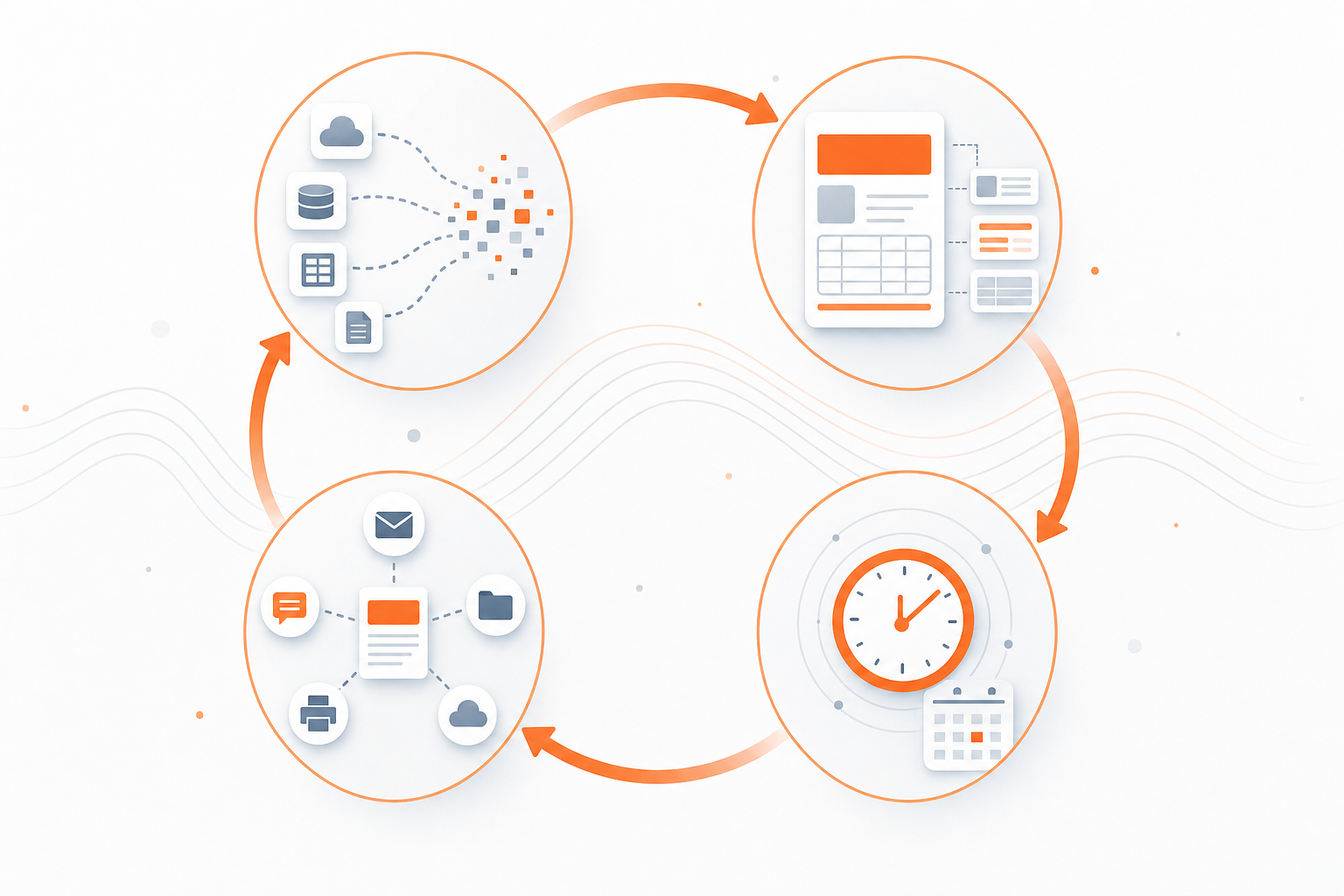
- Data source integration pulls metrics from tools like Jira, Amplitude, and Salesforce through API connections or browser extraction, so numbers flow into a single repository without manual exports.
- Template-based generation maps those inputs to pre-built report formats, applying consistent calculations each cycle.
- Scheduled triggers run the pipeline on a cadence you define, whether that's daily standups or weekly leadership reviews.
- Automated distribution pushes finished reports to Slack channels, email lists, or shared docs the moment they're ready.
When ChannelSight adopted Rollstack to automate client business reviews, the team saw an 80% reduction in reporting time. The gain came from removing the manual steps between each stage, not from any single shortcut.
Time Savings and Performance Gains From Report Automation
Teams that automate their product ops reporting workflows typically save 15 to 20 hours per week, which adds up to 780 to 1,040 hours annually. One retail company reported a 50% reduction in report generation time alongside a 30% cost saving after switching to an automated reporting solution.
The time savings matter, but the secondary effects compound. Automated pipelines apply the same formulas and formatting every cycle, which eliminates the small discrepancies that creep in when three people build the same report differently. And because the process scales without adding headcount, your team absorbs new reporting requests without burning another 10 hours a week on assembly.
Building an Automated Product Ops Reporting System
Start with the reports you already dread building. Pick one or two high-frequency, low-complexity outputs, like a weekly sprint summary or a daily active-user snapshot, and build automation for those first. Once the pipeline works for a single report, you have a reusable template and a proven data connection you can extend to harder workflows.
From there, layer in complexity gradually:
- Connect one new data source per cycle instead of wiring everything at once, reducing the surface area for errors in your product ops reporting automation setup.
- Test output quality against a manually built version for at least two cycles before retiring the old process.
- Document every template so teammates can modify calculations without rebuilding from scratch.
The goal is a system that earns trust before it scales.
Common Product Ops Reports to Automate First
The best candidates share three traits: they recur weekly or more often, they pull from multiple sources, and they follow a predictable structure.
- Product usage dashboards and feature adoption metrics, since the underlying queries rarely change between cycles
- Roadmap status updates that aggregate ticket-level progress into a single view for leadership
- Experiment results summaries, where consistent formatting prevents misread lift numbers
- Executive stakeholder updates and cross-functional alignment reports that combine data from engineering, design, and customer-facing teams
These reports eat hours precisely because they're repetitive, not because they're hard.
Data Consolidation Tools for Product Operations Teams
The reporting pipeline starts before any template or schedule. Consolidation tools like Census, Hightouch, or Fivetran pull raw data from Jira, Pendo, analytics platforms, and spreadsheets into a single warehouse or sync layer. Once your product data lives in one place with consistent schemas, every downstream report draws from the same source of truth instead of a patchwork of manual exports.
Tool | Primary Function | Documented Outcome |
|---|---|---|
Census | Pulls raw data from multiple sources into a single warehouse with consistent schemas | Creates unified source of truth that prevents patchwork manual exports |
Hightouch | Syncs product data across tools into consolidated layer for downstream reporting | Allows every report to draw from same source instead of fragmented exports |
Fivetran | Extracts data from Jira, analytics suites, and spreadsheets into centralized warehouse | Eliminates manual data gathering across disconnected tool dashboards |
Rollstack | Automates client business review generation from consolidated data sources | Reduced ChannelSight reporting time by 80 percent for recurring client reviews |
Composite | Chains full reporting workflow across browser tabs using concurrent threads and proactive task detection | Pulls data from multiple tools simultaneously and delivers finished stakeholder summaries without API setup |
Measuring Success: Tracking the Impact of Reporting Automation
You can't support continued investment in automation without tracking a few concrete metrics. Start here:
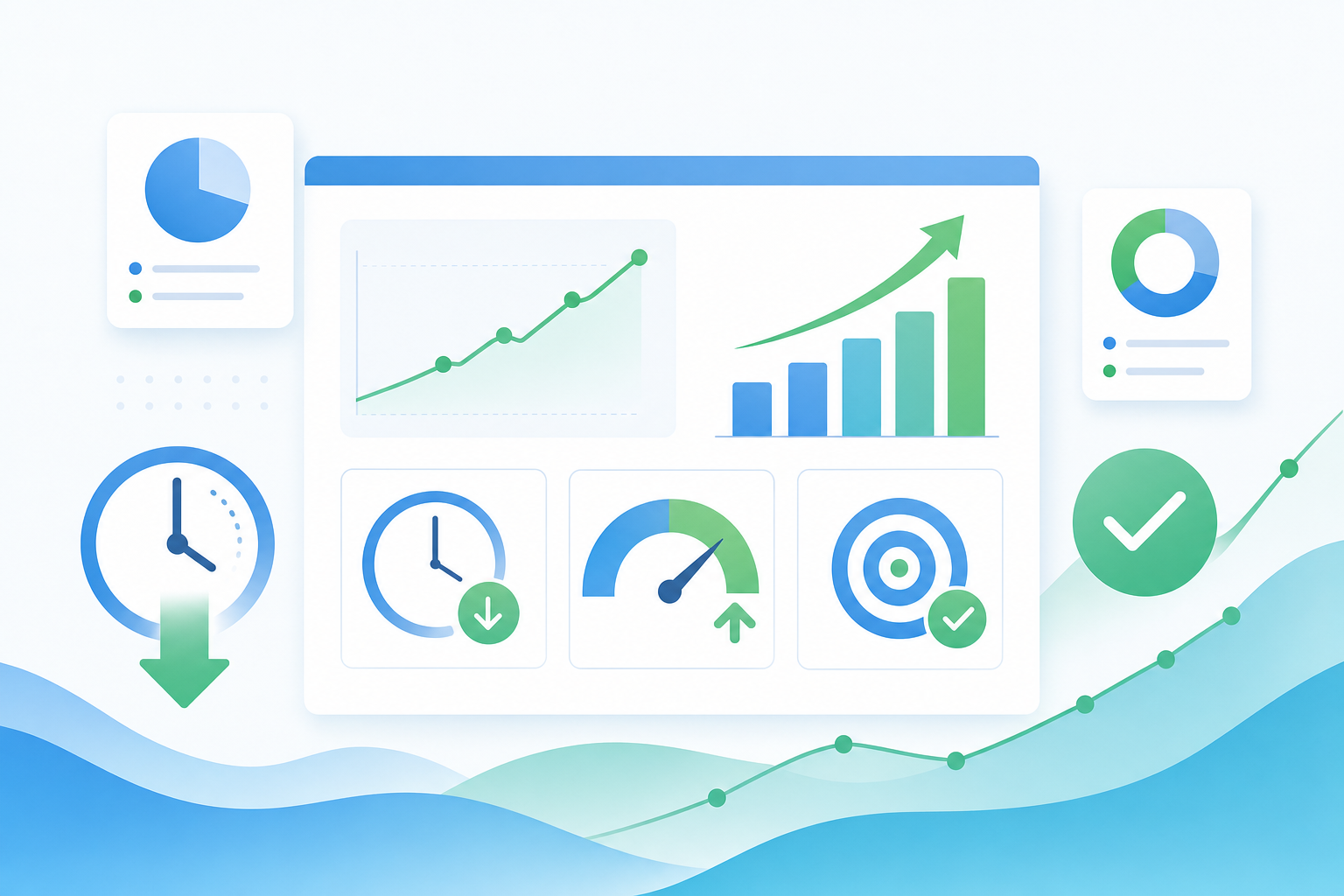
- Hours saved per reporting cycle, measured by comparing the old manual process against the automated one
- Time from data pull to stakeholder delivery, which reveals bottlenecks that still require human intervention
- Error rate in published reports before and after automation, since even small accuracy gains compound across dozens of recurring deliverables
- New reporting requests your team absorbs without adding headcount
- Stakeholder satisfaction scores on report quality and timeliness
Review these monthly. If hours saved plateau while report volume keeps climbing, that tells you the system is absorbing growth your team would have drowned in otherwise.
How Composite Eliminates Product Ops Reporting Busywork
Composite sits inside the browser you already use and chains the full reporting sequence: opening tabs across Jira, Notion, Salesforce, and your analytics tools, extracting the numbers, populating your template, and delivering a finished summary. No API connectors, no manual exports. Because concurrent threads pull from multiple sources at once, data gathering happens in parallel instead of one source at a time. Proactive task detection picks up on recurring reporting patterns and surfaces them before you remember to start. The generated reports come out as organized summaries ready for stakeholders the moment the workflow completes.
Final Thoughts on Building Automated Reporting Systems
The gap between what leadership expects and what ops can manually deliver keeps widening. Product ops reporting automation closes that gap without adding headcount or burning your team out on repetitive assembly work. Start with the reports you dread building, automate those, then layer in complexity as the pipeline earns trust. If you want to see how Composite handles the full chain from pulling data across tools to delivering finished summaries, get in touch and we'll show you.
FAQ
Can product ops reporting automation work across tools like Jira, Salesforce, and Amplitude at the same time?
Yes. Modern automation systems connect to multiple data sources through API integrations or browser-based extraction, pulling metrics into a single repository so reports draw from all tools without manual exports. Composite chains actions across any website simultaneously using concurrent threads.
How much time does automating product ops reporting actually save?
Teams typically save 15 to 20 hours per week when they automate recurring reports, which adds up to 780 to 1,040 hours annually. One retail company reported a 50% reduction in report generation time after switching to automated reporting, and ChannelSight saw an 80% reduction in reporting time for client business reviews.
What's the difference between scheduling a dashboard and true product ops reporting automation?
Scheduled dashboards pull from a single source and deliver a static snapshot. True automation stitches together data collection across multiple tools, applies consistent metric calculations, generates formatted outputs, and routes them to stakeholders without anyone opening a spreadsheet. This frees your team to focus on interpreting results instead of assembling inputs.
Which product ops reports should I automate first?
Start with high-frequency reports that pull from multiple sources and follow predictable structures: product usage dashboards, roadmap status updates, experiment results summaries, and executive stakeholder updates. These eat hours because they're repetitive, and automating them builds a reusable template you can extend to more complex workflows.