Most software still works like a vending machine: press the right button, get a fixed response. Conversational agents work like a colleague who listens, asks follow-up questions, and adapts. The biggest difference shows up when you need to chain actions across multiple tools or when your request changes halfway through. A chatbot stalls. An agent adjusts and keeps moving.
TLDR:
- Conversational agents track context across multi-turn dialogue and execute actions, while chatbots match keywords to fixed replies.
- The conversational AI market grew from $17.97 billion in 2026 to a projected $82.46 billion by 2034.
- Contact centers save $80 billion by 2026 using conversational AI that handles thousands of simultaneous conversations.
- Build agents in six steps: define scope, design flows, prepare training data, connect APIs, test live, deploy incrementally.
- Composite executes multi-step browser workflows across sites you're logged into, with zero data retention by AI subvendors.
What Is a Conversational Agent?
A conversational agent is software that interacts with people through natural language, whether typed or spoken, to understand requests, hold context across a dialogue, and take action on a user's behalf. Think of it as the difference between a vending machine and a concierge: one dispenses a fixed response when you press the right button, while the other listens, asks follow-up questions, and adapts.
What separates a conversational agent from a basic chatbot? Context and capability. A simple chatbot matches keywords to scripted replies. A conversational agent, by contrast, tracks the thread of a conversation, remembers what you said three messages ago, and can chain together steps to complete a task. If you ask it to reschedule a meeting and then say "actually, make it Thursday instead," it knows what "it" refers to.
The market reflects how quickly agentic automation is moving. The global conversational AI market reached $17.97 billion in 2026 and is projected to grow to $82.46 billion by 2034. That growth signals a move from rigid, rule-based bots toward agents that reason, plan, and act across real workflows.
How Conversational Agents Work
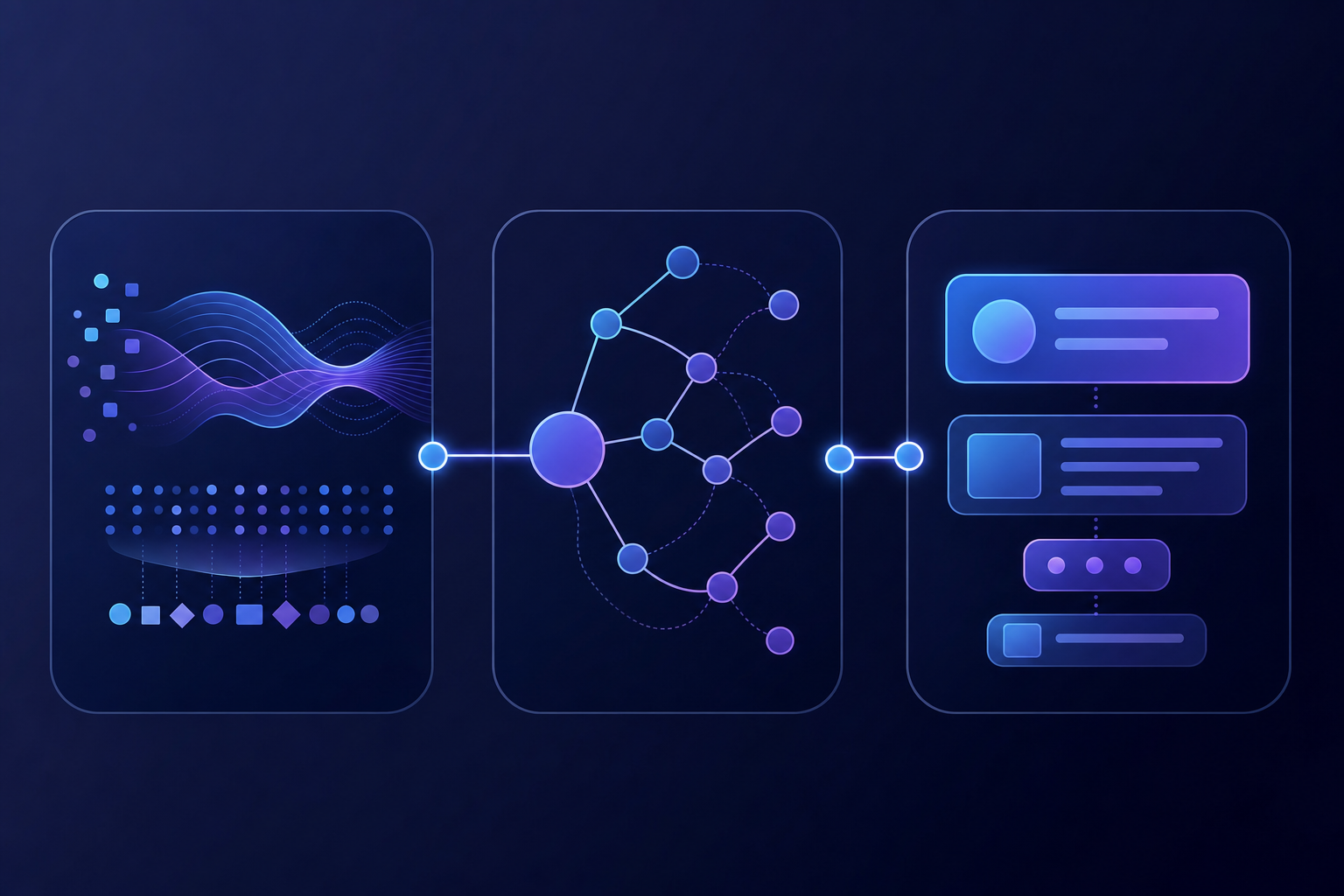
Under the hood, every conversational agent follows a loop: interpret what the user said, decide what to do about it, then respond.
Intent Recognition
When you type or speak a request, the agent's first job is figuring out what you want. It parses your input to identify an intent (like "book a flight") and extracts relevant entities (like "Thursday" or "San Francisco"). Today's language models have made this step far more flexible than older keyword-matching approaches, handling typos, slang, and ambiguous phrasing with surprising accuracy.
Dialogue Management
Once the agent understands your intent, a dialogue manager decides the next move. Should it ask a clarifying question? Pull data from an external system? Execute an action? This component tracks conversation state across multiple turns, which is why a well-built agent can handle "change that to next week" without losing the thread.
Response Generation
Finally, the agent assembles a reply. Some agents use templated responses; others generate text dynamically using LLMs. The best systems blend both, using templates for structured data (order confirmations, appointment details) and generative output for open-ended answers. The result feels less like a form and more like a conversation.
Types of Conversational Agents
Not all conversational agents are built the same. The right type depends on what you need it to do and how much autonomy it should have.

Type | How It Works | Best For |
|---|---|---|
Rule-based | Follows predefined decision trees and if/then logic | Simple FAQs, structured intake forms |
Retrieval-based | Searches a knowledge base to surface the closest matching answer | Customer support, internal documentation lookup |
AI-powered (generative) | Uses LLMs to produce adaptive, context-aware responses | Open-ended Q&A, drafting, summarization |
Autonomous | Plans multi-step actions, integrates with external systems, and executes tasks end to end | Cross-tool workflows, CRM updates, data migration |
Each category builds on the one before it. A rule-based bot handles predictable questions cheaply. An autonomous agent, on the other hand, can research a prospect across LinkedIn, enrich your CRM, and draft a personalized email without you switching a single tab. Where you land on this range should match both the complexity of the task and your tolerance for setup.
Conversational Agents vs Chatbots
The first section touched on context as a dividing line, but the real gap runs deeper than memory alone.
A chatbot is reactive. You ask, it answers. Automation bots take this further by executing actions. If your question falls outside its script, it stalls or loops you back to a menu. A conversational agent, by contrast, can reason about what to do next: query a database, call an API, update a record, or ask you a follow-up question it constructs on its own. It's the difference between a search bar and a colleague who happens to be very fast.
When should you pick one over the other? If your use case is a straightforward FAQ page or a simple order-status lookup, a chatbot works fine. But the moment your workflow requires chaining actions across multiple tools, adapting to ambiguous requests, or learning from past interactions to improve over time, you're in conversational agent territory.
Key Use Cases and Applications
Conversational agents show up wherever people interact with systems repeatedly and predictably. Here are the areas seeing the most traction:
- Customer service: Agents handle returns, billing questions, and troubleshooting around the clock, escalating to humans only when the conversation moves beyond their confidence threshold.
- Information retrieval: Internal knowledge agents let employees search policy documents, product specs, or compliance guidelines through a simple question instead of digging through folders.
- Transaction processing: Banking and e-commerce agents walk users through payments, transfers, and order modifications within the conversation itself.
- Healthcare: Conversational health agents triage symptoms, schedule appointments, and send medication reminders, reducing administrative load on clinical staff.
- Sales assistance: Agents qualify inbound leads in real time, asking budget and timeline questions before routing prospects to the right rep, often integrated with browser automation solutions.
- HR operations: From onboarding checklists to PTO balance lookups, HR agents field the repetitive questions that otherwise flood people teams.
The common thread across every case is the same: each one removes a layer of friction between a person and the outcome they want. Adoption is accelerating rapidly: 92% of companies have already implemented AI-powered solutions to some degree, with 42% of organizations expected to hire for AI-focused customer experience roles like conversational AI designers by 2026.
Benefits of Implementing Conversational Agents
The business case comes down to doing more with less, faster. Conversational agents run around the clock without shift changes, handle thousands of simultaneous conversations, and cut average response times from minutes to seconds.
The cost impact is hard to ignore. Conversational AI implementations within contact centers are projected to save $80 billion in agent labor expenses by 2026. Companies using voice AI report 3-year ROI between 331% and 391%, with most organizations seeing measurable returns within 2 to 6 months after deployment.
But savings are only part of the picture. Every interaction generates structured data you can feed back into product decisions, marketing segmentation, and service improvements. That turns a cost center into an insight engine.
For customers, the experience gap narrows too. Consistent answers, zero hold times, and instant routing to a human when needed all push satisfaction scores up without adding headcount.
Building a Conversational Agent
If you're ready to build, the process breaks down into a handful of clear steps. You can use AI agent builders to speed up development:
- Define the use case first. Pin down exactly what the agent should handle, what systems it needs to touch, and where a human should take over.
- Design conversational flows. Map out the most common user paths, including dead ends and fallback responses.
- Prepare training data. Gather real user queries, FAQs, and edge cases so the agent learns from actual language, not hypothetical prompts.
- Connect your knowledge sources and APIs. The agent is only as useful as the data it can reach.
- Test with real users early. Scripted QA catches structure issues, but live conversations reveal gaps no test suite will find.
- Deploy incrementally. Start with a narrow scope, monitor where the agent struggles, and widen coverage as confidence grows.
Conversational Agent Platforms and Tools
The tooling ecosystem breaks into a few categories worth knowing:
- Google Dialogflow CX is Google's conversational AI offering for chat and voice agents, now authored through the Conversational Agents console. It works well for structured flows with built-in Google Cloud integrations.
- LangChain and LangGraph are open-source frameworks for building LLM-powered agents in Python or JavaScript. LangGraph adds stateful, graph-based orchestration for more complex multi-step workflows.
- ElevenLabs is known primarily for voice synthesis, and their conversational agent API lets you build voice-first agents with realistic speech output.
- Enterprise options like UiPath and Vertex AI bundle agent capabilities into broader automation or cloud suites, which appeals to teams already in those ecosystems.
- n8n and CrewAI offer lower-barrier entry points for teams that want visual or multi-agent orchestration without writing everything from scratch.
Each tool makes different tradeoffs between flexibility, ease of setup, and vendor lock-in. Your choice should follow from the architecture decisions you made during the build phase, not the other way around.
Challenges and Limitations
Deploying conversational agents takes real work — integration overhead, training data prep, and compliance reviews can each stall a rollout before it starts. The most common obstacles include:
- Ambiguous or complex queries that push agents past their training, producing confident but wrong answers that erode user trust quickly
- Context switching mid-conversation, where users pivot topics and the agent loses track of what was discussed moments earlier
- Integration headaches with legacy systems that lack clean APIs, forcing teams into custom middleware work
- Data privacy requirements in compliance-heavy industries, where every interaction must be logged and auditable against strict compliance standards, especially when deploying AI browser agents for enterprise productivity
- User expectations that outpace what the agent can actually do, creating frustration when it falls short
None of these are unsolvable. But ignoring them during planning is the fastest way to undermine confidence in the system.
Best Practices for Conversational Agent Design
Good design separates agents that get adopted from ones that get abandoned. A few principles worth internalizing:
- Set expectations upfront. Tell users what the agent can handle and where its limits are. A short greeting that scopes capability prevents frustration later.
- Build graceful fallbacks. When the agent doesn't understand, it should say so clearly and offer a path forward, whether that's rephrasing or connecting to a human.
- Design for handoff. Define clear triggers for escalation so transitions feel intentional, not like a failure.
- Match tone to context. A support agent for a healthcare provider shouldn't sound like a marketing chatbot.
- Iterate with real data. Review conversation logs regularly, spot recurring drop-off points, and refine flows based on what users actually say, not what you assumed they would.
How Composite Powers Browser-Based Workflows with Conversational Agents
Most conversational agents live inside a single app or chat window. Composite works across your entire browser. Hit Cmd+Shift+Space, describe a task in plain English, and the agent plans and executes a click-by-click sequence in real time, opening tabs, filling forms, and pulling data across any site you're already logged into. No API keys, no OAuth flows, no new browser to install.
We run a multi-model architecture that routes each step to the fastest, most capable model available. Execution of actions happens locally in your browser, inside your existing Chrome, Edge, or Brave sessions. Our AI subvendors operate under a zero data retention policy, and we're SOC 2 Type II compliant.
Where most conversational agents focus on answering questions, Composite focuses on doing the work: updating your CRM, researching prospects, syncing data across tools. It even learns your patterns over time and proactively suggests tasks before you think to ask.
Final Thoughts on Conversational Agent Design
Context separates conversational agents from chatbots, but execution separates agents that ship from ones that stall. You don't need to solve every use case on day one. Pick the workflow that burns the most hours, build the simplest version that works, and iterate based on how people actually use it.
FAQ
Chatbot vs conversational agent: what's the real difference?
A chatbot reacts with scripted responses based on keywords, while a conversational agent tracks context across a multi-turn dialogue and can chain actions across systems. If you need to handle ambiguous requests, remember what was said earlier in the conversation, or execute multi-step workflows, you need a conversational agent.
What's the best conversational agent framework for building browser automation?
LangChain and LangGraph work well for Python-based LLM agents, but they still require you to manage integrations, authentication, and browser control yourself. Composite removes that overhead by running directly in your existing Chrome or Edge browser with a single keyboard shortcut, with no code, no API keys, and no new browser to install.
How do conversational agents handle intent recognition?
Conversational agents parse your input to identify what you want (intent) and extract relevant details like dates or locations (entities). Modern agents use language models for this step, which handles typos, slang, and ambiguous phrasing far better than older keyword-matching systems.
Can conversational agents work across multiple tools without API integrations?
Most conversational agents require API keys or OAuth flows to connect external systems. Composite runs locally in your existing browser sessions, so it works across any site you're already logged into—CRM, project trackers, internal tools—without needing API access or re-authentication.
What's the difference between retrieval-based and AI-powered conversational agents?
Retrieval-based agents search a fixed knowledge base and return the closest match, which works well for FAQs or documentation lookup. AI-powered conversational agents use language models to generate adaptive, context-aware responses and can handle open-ended questions, drafting, and multi-step reasoning.